


Tech
NPS Segmentation, Revisited: How to Find Out Which Customers Are Unhappy (and Why)
Read more


Last week I wrote a preview of where Apple seemed to be heading with the smart home. This morning Apple made it official, so this is the follow-up: what actually got announced, and what I'd do this week if I made or marketed smart home devices.
Short version: the guessing is over, and the homework has a deadline.
Here's the part that matters for device makers, without the keynote sparkle:
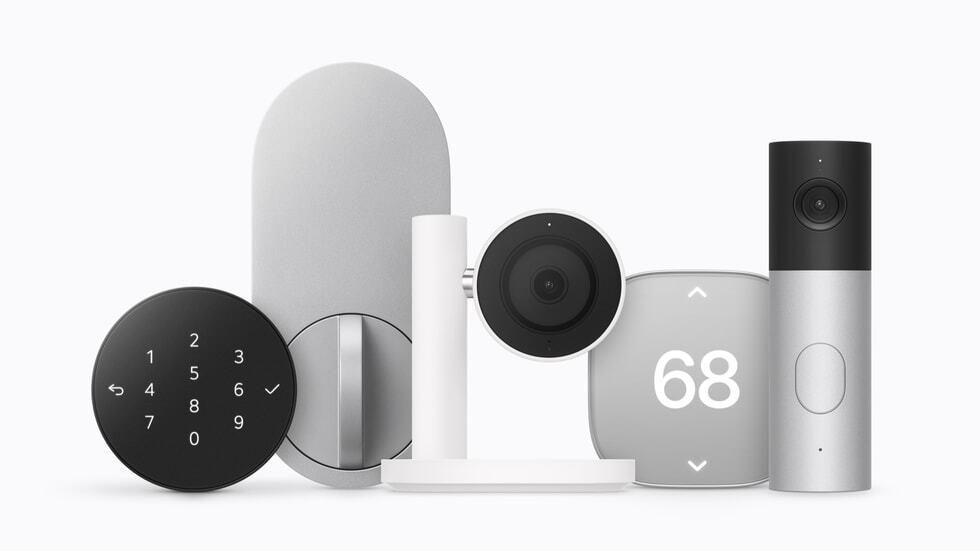
HomeView's dashboard works with Works with Apple Home and Matter accessories. That's the guest list. If your camera, lock or thermostat supports one of them, it can show up on a screen sitting in a lot of future kitchens. If it doesn't, your customer will notice that everything else is on the screen and your product isn't. That's a very visible way to feel left out.
If Matter has been sitting on your roadmap as a "next year" item, I'd move it up.
Apple Home Collection devices set up with one tap on an iPhone. That's now the reference point your customers will carry into every other setup flow in the house. Nobody will say it out loud, but when your app asks for an account, a password and three permissions before anything happens, they'll feel the difference.
You don't have to match it tomorrow. You do have to know where your own setup loses people, step by step, because that's where the comparison will hurt most.
Up to six recognized faces, personal screens, shared content for guests. Apple is designing for the whole family standing around the counter. Most smart home apps are still designed for the one person who opened the box.
Ask yourself: what does your product look like to the second, third or fourth person in the house? Can they use it without borrowing someone's phone? Do they even know it's there?
End-to-end encryption for the Collection, and an A18 chip on HomeView that comes with Apple's Secure Exclaves security feature. Apple is putting privacy right on the box. Your customers will start asking you the same questions, probably in your reviews.
Have a plain-English answer ready: what data your device collects, where it goes, and who can see it. If that answer currently lives in a 40-page policy, write the short version now.
HomeView ships Nov. 13. Apple Home Collection starts in December. That puts both right in the middle of holiday gifting, which means a lot of mixed homes getting set up at once, often on the same morning, often by someone who didn't buy the stuff.
Your onboarding and support should assume your device is going into a home that also has a new Apple screen on the counter.
HomeView isn't on sale in the EU. If you sell there, your messaging shouldn't lean on it. If you sell in both places, you may need two versions of the same "works with" story.
Apple didn't just launch a gadget today. It set expectations for setup, for households and for privacy, and those expectations will land on every other device in the home, including yours.
The good news: none of this needs a new product. It needs a clear compatibility story, a smoother first ten minutes, and a support team that's ready before the holiday rush instead of during it.
I'll be watching what actually happens in real homes once these ship. If you see something interesting in your own setup or support data after Nov. 13, I'd love to hear about it.
Explore the latest news from the world of smart technology, with advice and inspiration to help optimize user engagement for your brand.


